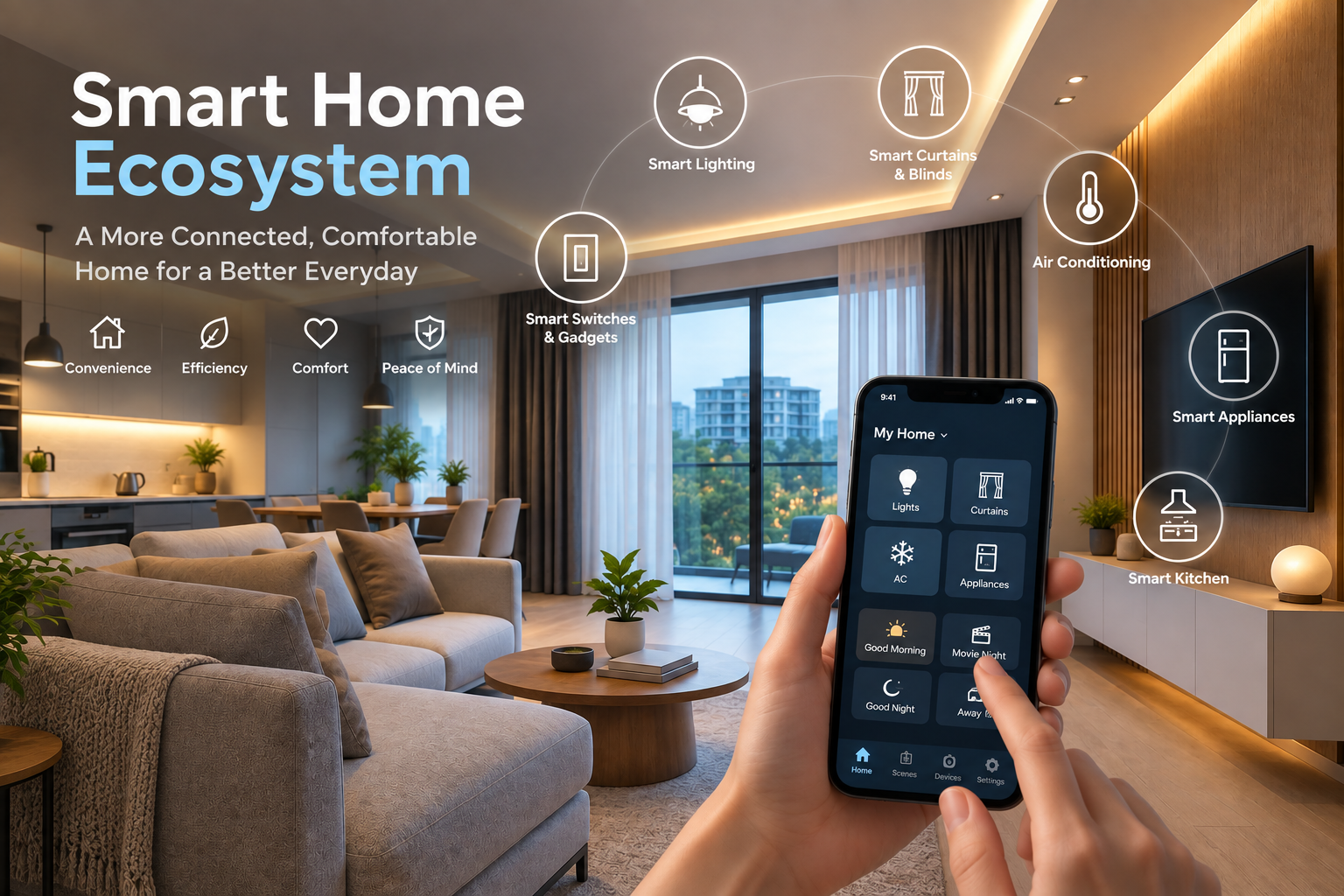
Smart homes are now part of everyday living. Many households use smart speakers, CCTV cameras, smart locks, smart TVs, robot vacuums, and voice assistants to handle routine tasks.
These devices make life easier because you can control lighting, check your front door, or adjust settings through your phone or voice. But that convenience depends on constant connectivity between devices, apps, and cloud systems.
Because of this constant data flow, smart home privacy and data security become important. Every interaction generates information about your home, habits, and routines. That data is often stored or processed across systems you do not directly see.
If those systems are not properly secured, your smart home privacy can be exposed or misused.
Need help with your smart home privacy? Reach out to AT Smart Home Singapore for any enquiries.
What Is a Smart Home?
A smart home is a home where devices are connected to the internet so they can be controlled or automated. These devices often work through apps, voice commands, or preset schedules.
Instead of operating on their own, they communicate with each other and with online systems. This allows different parts of the home to work together, such as lights turning on when you arrive or cameras sending alerts to your phone.
Most smart homes rely on a combination of Wi-Fi, Bluetooth, mobile apps, and cloud storage. Voice assistants also play a major role in how users interact with these systems. Because everything is connected, devices often share data to function properly.
Why Smart Home Privacy Matters
Smart homes rely on constant data exchange to function. Every command, sensor reading, or automation creates information about how you live. This includes:
- Voice recordings from smart speakers
- Video footage from cameras and doorbells
- Location data from connected apps
- Behaviour patterns such as when you are home
- Daily schedules and routines
- Personal preferences like lighting, temperature, or media use
Because of this constant data collection, smart home privacy becomes a real concern. Many devices stay active in the background, collecting or processing data even when you are not interacting with them directly.
In some cases, data may be shared with service providers or third parties to improve performance or deliver updates. The risk is not only about who collects the data, but also how it is stored and protected. Weak protection can lead to:
- Identity theft
- Account access being compromised
- Financial fraud
- Unauthorised monitoring of private spaces
For homeowners, this means privacy is no longer limited to online accounts. It now extends into physical spaces inside the home.
Common Smart Home Security Risks
Smart home systems are built on constant connections between devices, apps, and networks. This setup makes everyday control easier, but it also creates points where security can break down.
In many cases, issues linked to smart home privacy do not come from advanced attacks, but from simple oversights in setup or maintenance.
- Weak passwords and credential reuse
One of the most common risks comes from how accounts are protected. Many users leave default login details unchanged or reuse the same password across different services.
This becomes a problem when one account is exposed. If attackers gain access to a reused password, they can often move into other connected accounts or devices with little resistance.
- Unsecured Wi-Fi networks
Since all smart devices rely on a home network, the strength of that network matters. A weak router password, outdated security settings, or unsafe network access can expose every connected device.
In some cases, attackers do not target devices directly. They simply access the network they sit on.
- Outdated firmware and software
Smart devices depend on regular updates to fix security gaps. When updates are ignored, those gaps remain open.
Over time, this increases the risk of exploitation, especially for devices that no longer receive active support. This directly affects your smart home privacy because older vulnerabilities can be used to access personal data or device controls.
- Poorly secured smart cameras
Devices like cameras and video doorbells are especially sensitive because they sit inside private spaces.
If security settings are weak, attackers may gain access to live feeds or stored recordings. This turns a convenience feature into a direct privacy risk inside the home.
- Third-party app vulnerabilities
Some smart home setups rely on external apps or integrations to expand functionality. While useful, these connections can introduce weak points.
If a third-party service has poor security, it can expose data or permissions linked to the main system, affecting overall smart home privacy.
- Phishing and social engineering attacks
Users may receive fake emails or messages that appear to come from trusted brands. These often lead to fake login pages designed to steal account credentials.
Once access is taken, attackers can control devices, view data, or change settings without needing to break any technical barriers.
How Smart Devices Collect and Store Data
Smart home devices are designed to perform tasks while also collecting information as they operate. Features like voice control, automation, and remote access depend on this constant data flow, which directly shapes smart home privacy.
The type of data collected depends on the device, but it usually includes:
- Audio from voice commands or wake-word detection
- Video from cameras and doorbells
- Biometric data such as facial or motion patterns
- Device usage history, such as when and how often something is used
- Metadata, including timestamps, location signals, and network activity
Once collected, this information is processed in different ways depending on the system. Some devices handle data locally, while many send it to external servers for storage and analysis. This determines how data moves through the smart home ecosystem and how it is accessed later.
Cloud storage vs local storage
Cloud storage is widely used in smart home systems because it supports remote access and device synchronisation. It allows homeowners to view live feeds, adjust settings, and receive alerts through mobile apps.
In most cases, this means data is stored on servers managed by service providers. This creates a system where personal information exists outside the home network, which influences smart home privacy depending on how the provider handles that data.
However, local storage works through physical devices such as memory cards or home hubs. Data remains within the home environment and is accessed directly by the user.
This setup reduces reliance on external systems and gives homeowners more direct control, though it may require more manual management.
Who has access to your data?
After data is stored, access depends on system design and account permissions. In most smart home ecosystems, access can include:
- Device manufacturers
- Cloud service providers
- Third-party integrations connected to the system
- Law enforcement requests under applicable legal frameworks
Essential Smart Home Privacy & Security Best Practices
Smart home systems can be used safely when the right habits are in place. Most smart home privacy issues come from weak settings, missed updates, or unsecured accounts rather than the technology itself. Follow the steps below to reduce those risks in a simple and practical way.
- Use strong and unique passwords
Every smart device account should have its own password. Reusing passwords across services creates a chain risk, where one breach can lead to access across multiple devices.
Password managers help generate and store secure passwords without needing to remember them manually.
- Enable two-factor authentication (2FA)
Two-factor authentication adds an extra step during login, usually through an app or code.
Even if a password is exposed, access still requires a second verification method. This helps reduce unauthorised access across smart home accounts.
- Secure your home Wi-Fi network
Since all smart devices rely on the home network, Wi-Fi security affects the entire system. A secure setup includes:- WPA3 encryption where available
- A strong router password
- Changing default network names (SSID)
These settings reduce the chance of outsiders accessing connected devices.
- Regularly update firmware and apps
Smart devices depend on software updates to fix security gaps and improve stability. When updates are delayed or ignored, known vulnerabilities may remain open. Setting devices to update automatically helps maintain stronger protection over time.
- Review privacy settings
Most smart devices collect data by default to support features like automation and voice control. These settings can usually be adjusted. Adjustments may include:- Disabling unnecessary data collection
- Limiting microphone access
- Restricting camera permissions when not needed
These changes directly support better smart home privacy control.
- Separate smart devices on a guest network
Many routers allow the creation of a separate network for smart devices. This is known as network segmentation.
By placing smart devices on a guest network, they operate separately from personal devices like laptops or phones. This reduces the risk of other devices being affected if one is breached.
- Disable unused features
Smart devices often come with extra functions that are not always required. Turning off unused features such as remote access, voice purchasing, and location tracking, reduces the number of entry points that could be exploited.
- Buy devices from reputable brands
Device quality affects long-term security. Brands that provide regular updates and ongoing support reduce the risk of unpatched vulnerabilities.
Checking update history and support lifespan before purchase helps ensure better smart home privacy over time.
Conclusion
Smart home privacy depends on how that data is handled, stored, and accessed. Most risks come from weak passwords, missed updates, unsecured networks, and unclear data practices rather than the devices themselves.
With a few consistent habits, you can reduce these risks with consistent habits like securing accounts, updating devices, and reviewing privacy settings. Treat smart home devices as connected systems that require attention, not standalone appliances.
Need help with your smart home privacy? Reach out to AT Smart Home Singapore for any enquiries.